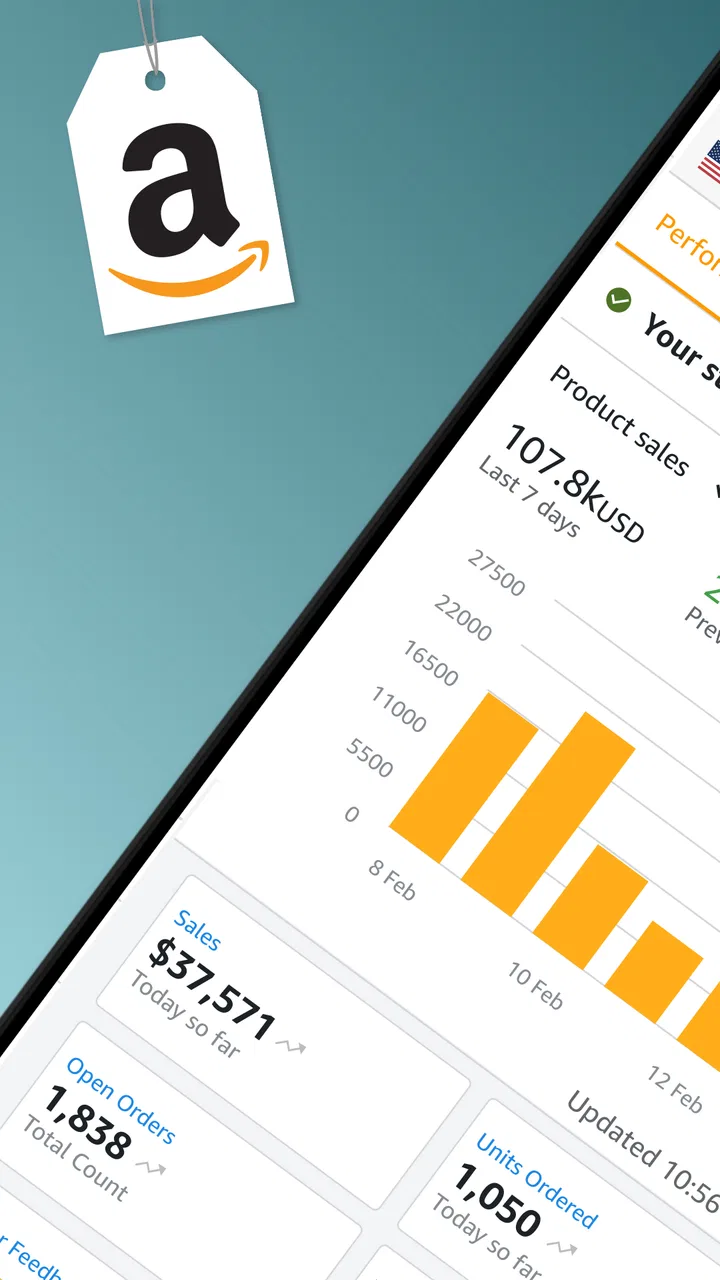
Amazon Seller
- 3.9
- Rating
- 10.00M
- Installs
- Free
- Price

 Analysis by App-foxy
Running an Amazon shop from a phone sounds convenient until orders, stock, messages, and account health begin competing for attention. I tested Amazon Seller with that practical question in mind: does it remain useful after the first week, or does it become another app that feels impressive briefly and then gathers dust? My answer is fairly positive, but with an important condition. It is most valuable as a daily control panel for an existing Amazon business, not as a complete replacement for the deeper tools a serious seller eventually needs.
Developed by Amazon Mobile LLC, this free business app is aimed at people who sell through Amazon and need to keep an eye on operations while away from a computer. It is available for Everyone, supports devices running Android 8.0 or later, and the current version is 9.12.0. Its average rating sits at 3.9 from around 196 thousand ratings, while more than 10 million installations show that it has become a familiar companion for a large seller community.
What the first week feels like
The first appeal is immediate: the app puts seller-oriented information in a place that is easier to reach than a desktop browser. When I am away from my desk, the ability to check business activity from a phone changes the rhythm of the day. I do not need to wait until I return to a laptop before checking whether something needs attention. That convenience is especially useful for small sellers who handle purchasing, packing, customer communication, and bookkeeping themselves.
You May Also Like

 Blood Strike: 2.5 Anniversary
Blood Strike’s Loadouts Turn Every Drop Into a Tactical Gamble
A close look at Blood Strike’s custom loadouts: how fast access to signature weapons reshapes its battle royale rhythm, rewards preparation, and narrows the gap between fights.

 Pandora - Music & Podcasts
Pandora’s Music Is Easy to Start, but Harder to Recover
Pandora’s strength is its low-effort path from a seed to a station. Its weak spot is how much confidence it asks you to place in connection, setup, and quiet recovery.

 8 Ball Pool
8 Ball Pool Is Built on Rivalries, Rematches, and Routine
A close look at the rivalries, rematches, shared routines, and unanswered safety questions that turn a quick pool match into a persistent mobile community.

 Samsung Music
Samsung Music’s Quiet Strength Is Playing What You Already Own
Its reach comes less from spectacle than from dependable access to a personal library. That simplicity is both the app’s strongest retention engine and its ceiling.

 AccuWeather: Weather Radar
AccuWeather Review: A Quick, Clear Forecast for Everyday Decisions
For everyday plans, the best forecast is the one you can understand quickly. AccuWeather makes rain timing, radar, and local conditions easy to act on, with a few trade-offs.

 Hill Climb Racing
Why Hill Climb Racing Still Turns Crashes Into One More Run
A tiny car, a bumpy hill and one more upgrade: Hill Climb Racing keeps resurfacing because its simple chaos makes every near-miss feel personal.
More From Our News Desk
View All News


The experience makes the most sense when I treat the app as a quick decision tool. I can open it during a commute, between errands, or while standing in a stockroom and decide what deserves attention next. That is different from sitting down for a long administrative session. The phone format encourages short visits, and that is one of its strongest qualities during the first week.
New users should resist the temptation to judge it only by how much information appears on screen. A seller does not necessarily need every detail at every moment. The real benefit is reducing the delay between a change in the business and noticing that change. If a listing, order, inventory position, or customer matter requires a response, early awareness can be more useful than a beautifully organized report viewed too late.
I would begin by using the app at fixed points rather than opening it constantly. A morning check can establish priorities, while a later check can confirm that urgent tasks have not been overlooked. This habit keeps the phone from becoming a source of random interruptions. It also reveals quickly whether the app fits the way a particular seller works.
A realistic day with the app
Imagine a small seller who has a few products stored at home and another job during the day. Before leaving for work, they check the app for new orders and anything that could affect dispatch. At lunch, they look again after receiving a customer message. In the evening, they review inventory and make notes about what needs attention before the next purchasing trip.
That scenario is where Amazon Seller earns its place. It does not turn a phone into a warehouse, but it can prevent a seller from being disconnected from the shop for eight or ten hours. The value comes from continuity: the business stays visible even when the owner is not sitting at a computer.
There is also a useful psychological advantage. When business information is available in short sessions, a seller may be less likely to postpone small checks until they become urgent. That does not guarantee better results, but it can make routine oversight easier. The app is at its best when it supports a repeatable process rather than being used only during emergencies.
Where the first-week excitement fades
The novelty does not last forever. After the initial discovery period, the app becomes less about exploring and more about repeating a handful of actions. That is not a weakness by itself; business tools should become familiar. The question is whether those repeated visits save enough time to justify keeping the app in the daily routine.
For a seller with regular orders, the answer is usually yes. For someone who lists a product occasionally and checks the business only once every few weeks, the benefit is less obvious. A desktop browser may be perfectly adequate for infrequent work, especially when the task involves careful editing or comparing several pieces of information at once.
The phone interface also creates a natural trade-off. It is easier to carry and faster to open, but it offers less physical space than a computer. Reading a long customer exchange, reviewing complex business information, or making many changes in succession can feel slower on a small screen. I appreciate the app for monitoring and quick action; I would not choose it as my only workspace for every seller responsibility.
Why it can still matter month after month
The lasting value comes from maintenance, not excitement. Amazon businesses change every day, even when sales appear quiet. Inventory moves, orders arrive, customers ask questions, and listings need attention. A mobile seller tool earns its place when it makes those small checks easier enough that they actually happen.
One of the most practical ways to use it is as an early-warning layer. I would not rely on a single glance to make every business decision, but I would use the app to identify what deserves a closer look. That distinction matters. The phone is excellent for noticing that something has changed; a larger workflow may still be better for understanding why it changed and deciding what to do next.
For sellers managing several responsibilities alone, the app can also reduce context switching. Instead of opening a browser, finding the seller area, signing in, and navigating through a desktop layout for every small check, the dedicated app gives the business a more direct presence on the phone. Even a short reduction in friction can matter when repeated across many days.
A useful long-term habit is to separate monitoring from analysis. I might use the app during the day to identify orders, messages, or stock concerns, then reserve a weekly desktop session for deeper review. This prevents the mobile interface from carrying jobs it is not designed to handle comfortably. It also keeps quick checks from turning into endless scrolling.
Useful for different kinds of sellers
Amazon Seller is particularly well suited to independent sellers, small teams, and people who spend part of the day away from a desk. It is also helpful for a business owner who delegates packing or customer service but still wants a convenient way to stay informed. The app gives that person a direct view of the shop without requiring constant access to a larger computer.
Its usefulness is less clear for a large operation with specialized staff, complex catalog management, or established internal systems. In that environment, a phone app may still be useful for quick awareness, but it is unlikely to replace the company’s broader processes. The more complicated the business becomes, the more important it is to distinguish a mobile companion from a full operational system.
It is also not the right starting point for somebody who has not yet decided what they want to sell or how they will handle fulfillment. The app supports an Amazon selling workflow; it does not remove the need for product research, sourcing discipline, packaging decisions, customer service standards, and financial tracking. Beginners may find it helpful once they have a real selling task to manage, but less useful as a general business-planning tool.
Small workflow improvements that make a difference
My first practical tip is to open the app with a question, not out of habit alone. “Do I have anything urgent?” is more useful than repeatedly refreshing without a purpose. This keeps the app from consuming attention while still preserving its main advantage: fast awareness.
Second, I would keep a separate record for decisions that require context. A mobile check may show that stock needs attention, but purchasing should still consider supplier timing, storage space, margins, and existing commitments. The app can prompt the decision; it should not automatically become the entire decision-making process.
Third, sellers should build a response routine around customer communication. A quick check at predictable times is often better than trying to answer every notification immediately. That approach reduces interruption while making it less likely that messages will sit unseen. It also creates a more sustainable rhythm than treating the phone as an alarm that must be obeyed every minute.
Finally, I would use the app alongside a clear end-of-day check. Before finishing work, review what remains unresolved and write down the next action. This is a simple but non-obvious benefit of mobile access: because the app is available where the work happens, it can make closing the day more deliberate instead of leaving loose ends scattered across memory.
The maintenance burden is modest, but real
The app itself is free, which removes one common barrier to trying it. The greater cost is attention. A seller has to decide how often to check it, which information deserves immediate action, and when to stop looking. Without that discipline, the app can turn into a constant reminder of the business rather than a tool that makes the business easier to manage.
There is also the ordinary maintenance involved in keeping a selling operation accurate. A mobile interface cannot compensate for poor inventory records, unclear product information, delayed responses, or inconsistent fulfillment. If the underlying business process is disorganized, quick access may simply expose more problems without solving them.
Another consideration is screen size. I find the phone format convenient for short tasks, but less comfortable when I need to compare multiple details or work through a complicated change. Sellers who spend most of their time editing listings or examining broader business patterns may prefer the usual browser-based workflow. The app complements that setup rather than making it irrelevant.
Device compatibility is straightforward for many users because the minimum requirement is Android 8.0. Still, anyone using an older phone should check compatibility before planning a mobile-only routine. The app is designed for current seller activity, so a supported device and a dependable connection are part of the practical experience even though the app itself costs nothing.
What causes fatigue over time
The biggest source of fatigue is repetition without clear prioritization. If every visit feels like scanning the same information with no defined next step, the habit will weaken. I get more value when each check leads to an action, a decision to monitor something later, or a confident conclusion that nothing needs attention right now.
Notifications and urgent-looking issues can create another kind of pressure. Sellers may begin to feel that they must be available constantly, especially when the business is tied closely to personal income. The healthier approach is to establish realistic review windows and use the app as part of those windows. A business tool should support reliability, not make rest impossible.
There is also fatigue from switching between the mobile app and other tools. Many sellers still need spreadsheets, accounting software, shipping workflows, supplier records, and a desktop browser. Amazon Seller does not eliminate that ecosystem. Its lasting value depends on whether it fits into the existing setup without forcing the owner to duplicate every piece of information manually.
That is why I would not recommend making it the sole source of truth for a growing operation. It is a strong access point for Amazon activity, but a business owner may still need broader records for profit, taxes, purchasing, and long-term planning. Keeping those responsibilities separate makes the app more useful, not less.
How it compares with the usual alternatives
The most obvious alternative is using Amazon’s seller tools through a phone browser or desktop computer. A browser can offer a wider workspace and may feel better for detailed administration. The dedicated app wins when speed and portability matter: it is easier to reach during a stock check, a break, or a quick walk through the packing area.
A spreadsheet is another common alternative. Spreadsheets are better for custom calculations, historical tracking, and combining information from several sources. They are not a substitute for direct access to current Amazon activity. I would use a spreadsheet to understand the business and the app to stay connected to what is happening inside the marketplace.
General business dashboards can be more flexible for teams with multiple sales channels, but that flexibility usually requires more setup and maintenance. Amazon Seller is narrower, which is both its strength and its limitation. If most of the work happens on Amazon, that focus is useful. If the business sells equally through several channels, a broader system may be a better long-term center.
For occasional sellers, the browser may remain the simpler choice. For active sellers who need regular awareness while away from a desk, the app is more convincing. The deciding factor is not whether one tool is universally better; it is whether mobile access changes the seller’s ability to notice and handle routine work on time.
Who should keep it installed?
I would recommend keeping Amazon Seller installed if you already sell regularly, manage your own operations, or need quick visibility during the day. It is especially worthwhile when the phone is already part of your working routine and when small delays can create avoidable stress. The free price makes it easy to test without committing money, although time and attention still deserve consideration.
I would be more cautious if you rarely sell, dislike checking business matters on a phone, or need advanced analysis more often than quick monitoring. In those cases, a desktop workflow, spreadsheet, or broader business platform may serve you better. The app is not a magic shortcut around the work of running a store, and it should not be presented as one.
After the novelty fades, I still see a lasting role for it. Its recurring value is quiet rather than dramatic: checking what changed, responding at a sensible time, and keeping the business within reach when a computer is not available. That is enough to justify a permanent place on my phone for an active seller, provided I use it as a focused companion rather than a complete replacement for careful business management.
My final recommendation: try it if Amazon is an active part of your income and you want a practical mobile checkpoint. Keep a larger workflow for detailed work, create fixed checking habits, and avoid letting notifications dictate your entire day. Used that way, Amazon Seller earns its space through dependable repetition—the kind of value that remains after the first-week appeal has disappeared.
FAQs for Amazon Seller
01What is the Amazon Seller app used for?
The Amazon Seller app is designed to help individuals and businesses manage their Amazon selling accounts on the go. Users can track sales, manage inventory, communicate with customers, and fulfill orders directly from their mobile devices. It's a convenient tool for sellers who need to stay connected to their business while away from their computers.
02Is the Amazon Seller app free to use?
Yes, the Amazon Seller app is free to download and use. However, to access its features, you must have an active Amazon Seller account, which may involve fees depending on your selling plan. Individual sellers pay per item sold, while Professional sellers pay a monthly subscription fee.
03Can I manage multiple seller accounts with the app?
The Amazon Seller app supports management of multiple accounts, but users must log in separately to each account. This means you can switch between accounts, but you cannot manage them simultaneously. This feature is particularly useful for businesses with different seller profiles.
04Does the Amazon Seller app offer customer support features?
Yes, the app allows sellers to directly communicate with customers through messaging. This helps in addressing customer queries, handling returns, and resolving issues promptly. Having this feature on a mobile platform ensures sellers can maintain good customer relations wherever they are.
05What devices is the Amazon Seller app compatible with?
The Amazon Seller app is available for both Android and iOS devices. It supports a wide range of smartphones and tablets, ensuring that you can manage your selling account from virtually any modern device. Always check the app store for compatibility with your specific device model.
Pros
- User-friendly interface for easy navigation.
- Comprehensive analytics for sales tracking.
- Seamlessly integrates with Amazon platform.
- Efficient inventory management tools.
- Supports multiple languages for global sellers.
Cons
- Notifications can be overwhelming at times.
- Occasional bugs with order updates.
- Limited customization for reports.
- Some features require a paid subscription.
- Customer support response can be slow.

Amazon Seller
Gallery